For activity operators
Your experiences. Every part connected.
Create your next tour with Musa Assist. Take bookings, run the guest list and work with the partners who sell your experiences. Keep the details together, then give guests a reason to come back.
Create your account and set up your workspace to start a private draft. No sales call.
See Musa with sample dataMusa’s fee is 3% of each paid ticket’s list price. Card processing is separate. See fee terms.
Running concerts or live shows? Explore event ticketingSee how it worksCreate your activity
Describe your activity. Musa helps build it.
From your first description to departures guests can book. Follow a fictional sunset paddle through Musa Assist, then review the same private draft your team will use.
Open Musa Assist.
Start from your workspace. The same assistant stays with you as your activity takes shape.
Read this example
Your next activity starts here.
Musa AssistScroll to open the example
Demonstration · fictional activity and example response
Tell it about your activity.
Type naturally or paste your existing activity description. Include the meeting place, departure times, prices and group size.
Read this example
What do you take guests out to do?
Describe your activity or paste the details you already have.
Prepare my draft
Demonstration · fictional activity and example response
Review what Musa understood.
Musa prepares a proposal from your description. Check the suggestions and answer any missing questions before putting them into your draft.
Read this example
Review your draft details
Musa’s example proposal from the description you supplied.
- Name
- Honu sunset paddle
- Place
- Kailua Beach
- Dates and times
- November 15–17, 2030 · daily at 5:30 pm
- Capacity
- 8 guests per departure
- Duration
- 2 hours
- Tickets
- Adults $65 · Kids $40
Still to add · the exact meeting point and what to bring
Use selected details
Demonstration · fictional activity and example response
Your draft is ready to work on.
Review the departures, group size and ticket prices in the editor. Create your private drafts when you’re ready, then check the details before publishing.
Read this example
Demonstration · fictional activity and example response
Start with what you have.
Use Assist, guided steps, the full form or a spreadsheet import. Review everything before publishing.
Run the day together.
Keep bookings and the guest list in your workspace. Ask Musa for help finding a booking or preparing a guest update.
Stay with your guests.
Guests can keep bookings, recommendations and trip details in one shared itinerary. Your activity stays part of their day.
See a guest book from their planBefore, during and after
Keep a direct line to your guests.
Before the visit, bring tickets, meeting points and what to bring together. Prepare reminders with the details guests need to arrive ready.
On the day, see the guest list, find a booking and scan tickets at check-in. Keep the crew and guests informed when arrival details change.
After the visit, thank guests and invite them back. Use newsletters and promo codes to give opted-in guests a reason to book their next experience with you.
Choose the audience and timing, review the message, then send with your configured email sender. Guest permissions travel with the contact.
Help your next guests find you.
Prepare social posts beside your activity details. Bring in Canva artwork when connected, download it to share, or publish reviewed LinkedIn text through a connected account. See paid bookings and gross sales by channel to understand what is working.
Supported AI connections give guests another way to discover your activities, check availability and see a quote before finishing their booking in Musa. Connection and access setup are required.
Extras and rebooking
Give guests good choices.
Offer optional extras and merchandise at checkout. When plans change, give eligible guests a way to choose another date without starting over. Date changes follow your booking terms, available capacity and price rules.
Start with Assist
Bring the tour you already know.
Tell Musa Assist what it’s called, when it runs and what tickets cost, or paste your existing tour description. Assist prepares suggested details for you to review and helps you see what to do next. Your activity stays private until you publish it.
Create your account and set up your workspace to start a private draft. No sales call.
See Musa with sample dataRather look around first?
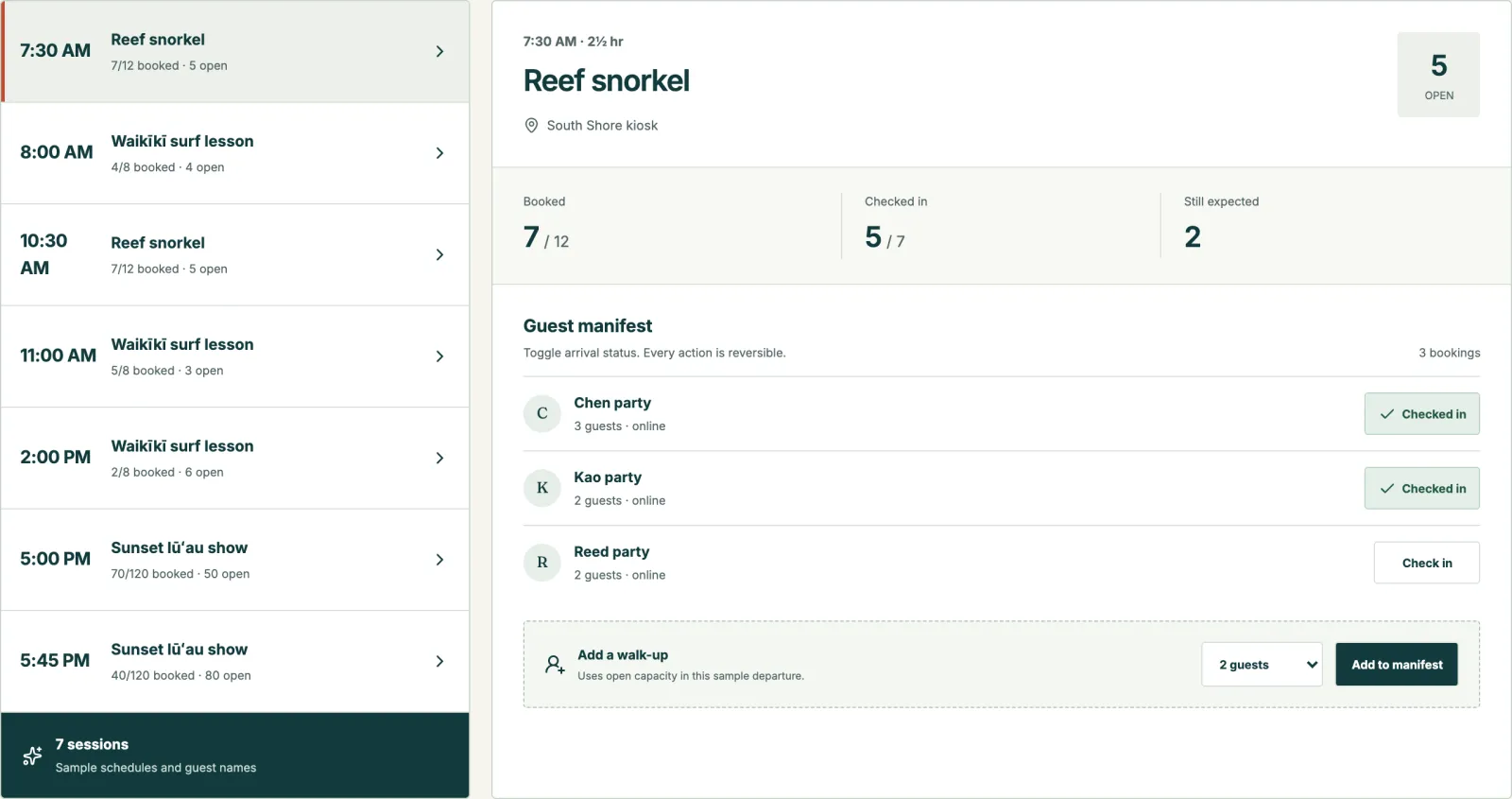
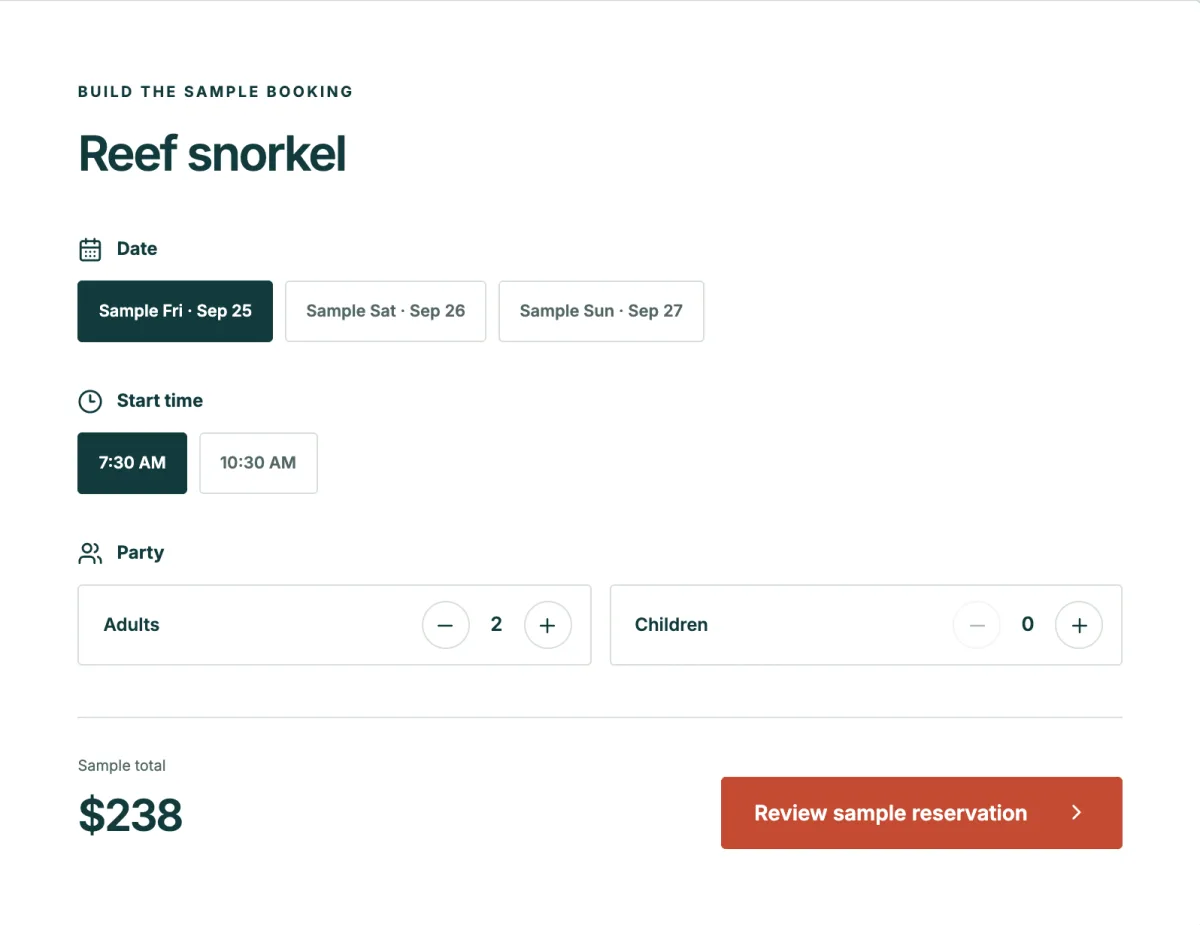
The sample day lets you book a sample surf lesson, snorkel trip or lūʻau show, then step behind the desk to check people in and add a walk-up. No signup needed; sample bookings stay in your browser and no payment is taken.
Conditions
Know the day before it starts.
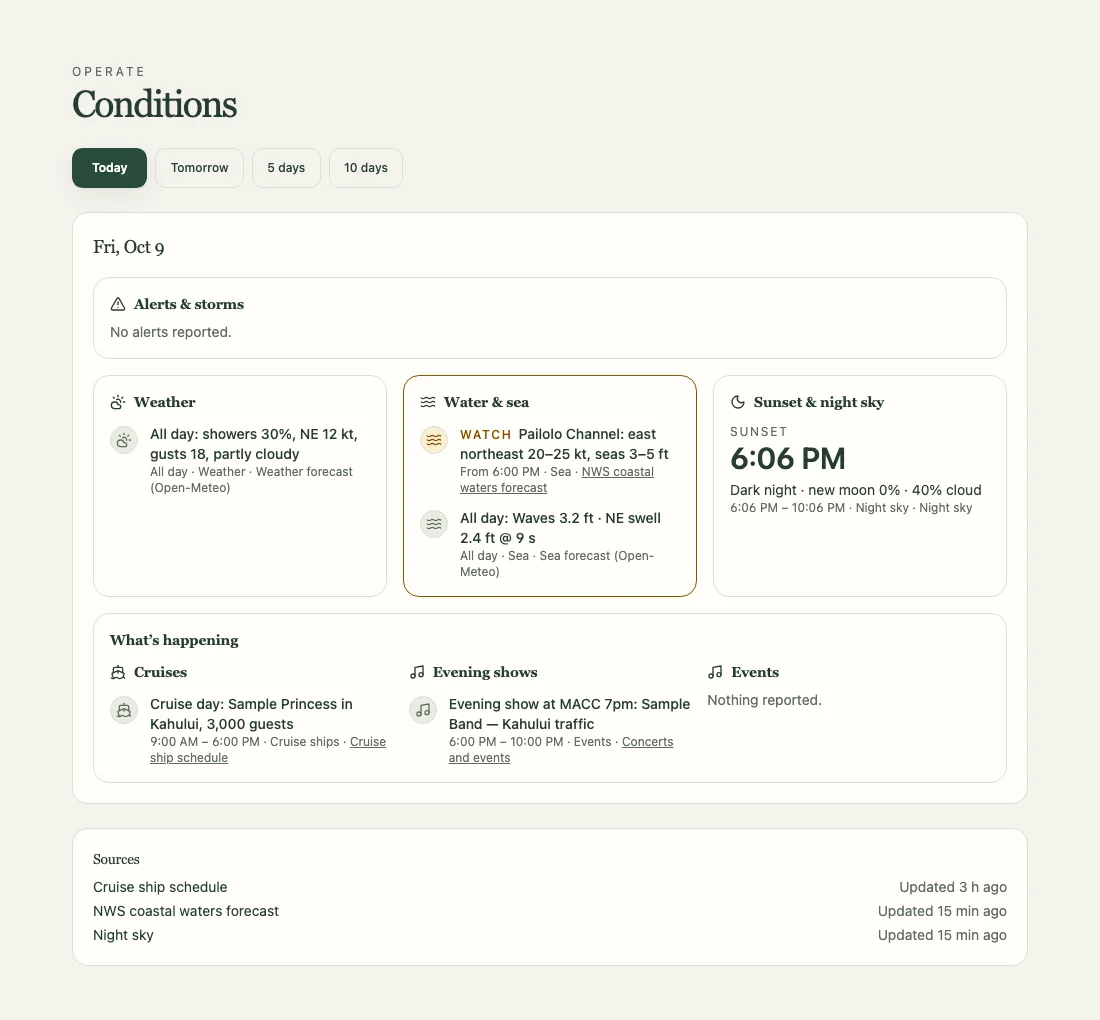
Plan around the weather, water and sea, sunset and local schedules. Conditions brings these together in your workspace for today, tomorrow and the days ahead, so your team can see what may affect a departure.
Each source keeps its time window, update time and a link to the original. Watches, warnings and unavailable sources are marked clearly.
Public forecasts and schedules support planning. Check official warnings before heading out. Conditions is not a safety service. The preview is sample data.
Fees
3% a ticket. You choose who pays it.
Musa’s fee is 3% of each paid ticket’s list price, before discounts or credits. A ticket a code makes free pays no fee. Absorb it, or pass it to your guests, who see it as “Booking fee” at checkout. Card processing is separate.
Compare with what you pay now- Ticket price
- $100.00
- Guest pays
- $100.00
- Musa fee (3%)
- $3.00
- You keep, before card processing
- $97.00
Example: one $100.00 ticket with no taxes, discounts or credits. Card processing is separate and not shown.
Desk access
Your partners. Your selling terms.
Add the desks that sell your trips under Partners. Set each desk’s commission and how you settle up. Track the desk, agent and voucher number on each sale.
Desks on Musa sell from their own workspace. Choose their inventory and hold limits; they accept your terms before selling. Each desk’s bookings show on its partner record, and guests can pay you through a payment link the desk sends them.
A desk can line up one guest’s day across several operators. Each event or activity stays its own booking with you, with its own checkout and cancellation.
Keep the supplier relationships that make your business valuable. Agree each seller’s commission, credit the right partner and reconcile what is owed through statements.
A desk that isn’t on Musa yet can still see its bookings, commission and numbered statements with you through a private, read-only link.
Your move
Start with one of your experiences.
Create your account and set up your workspace to start a private draft. No sales call.
See Musa with sample dataTell us what you run and the partners you work with. We’ll help you plan the setup.